

You're probably checking the flight status of Thai Airways for one simple reason. You need to know whether to leave for the airport, whether someone landing at Heathrow is close, or whether a carefully timed transfer is about to become awkward.
That anxiety is normal on long-haul routes. A Thai Airways flight can look straightforward on a booking confirmation, then turn complicated once airport systems, time zones, and Heathrow ground conditions start affecting what passengers experience. The good news is that flight tracking is manageable if you know which tools to trust, what each one does well, and where the blind spots are.
Table of Contents
- Your Essential Toolkit for Tracking Thai Airways Flights
- Using Official Thai Airways Channels
- Independent Flight Trackers for a Second Opinion
- Checking Airport Websites and Google
- Decoding Delays and Handling Disruptions
- The Stress-Free Solution How Professionals Monitor Your Flight
Your Essential Toolkit for Tracking Thai Airways Flights
Accurate tracking starts before you open any app or website. Most failed searches happen because the traveller has the wrong flight number, the wrong date, or a city pair that doesn't match the operating service.
Thai Airways is reliable enough that many travellers assume they can check once and move on. Even so, across all operations tracked today, Thai Airways shows a 55% on-time departure rate across 1,025 scheduled flights, an average delay of 22 minutes, and a 1% cancellation rate, which is exactly why real-time checks matter even for a dependable carrier, according to Trip.com's Thai Airways status overview.
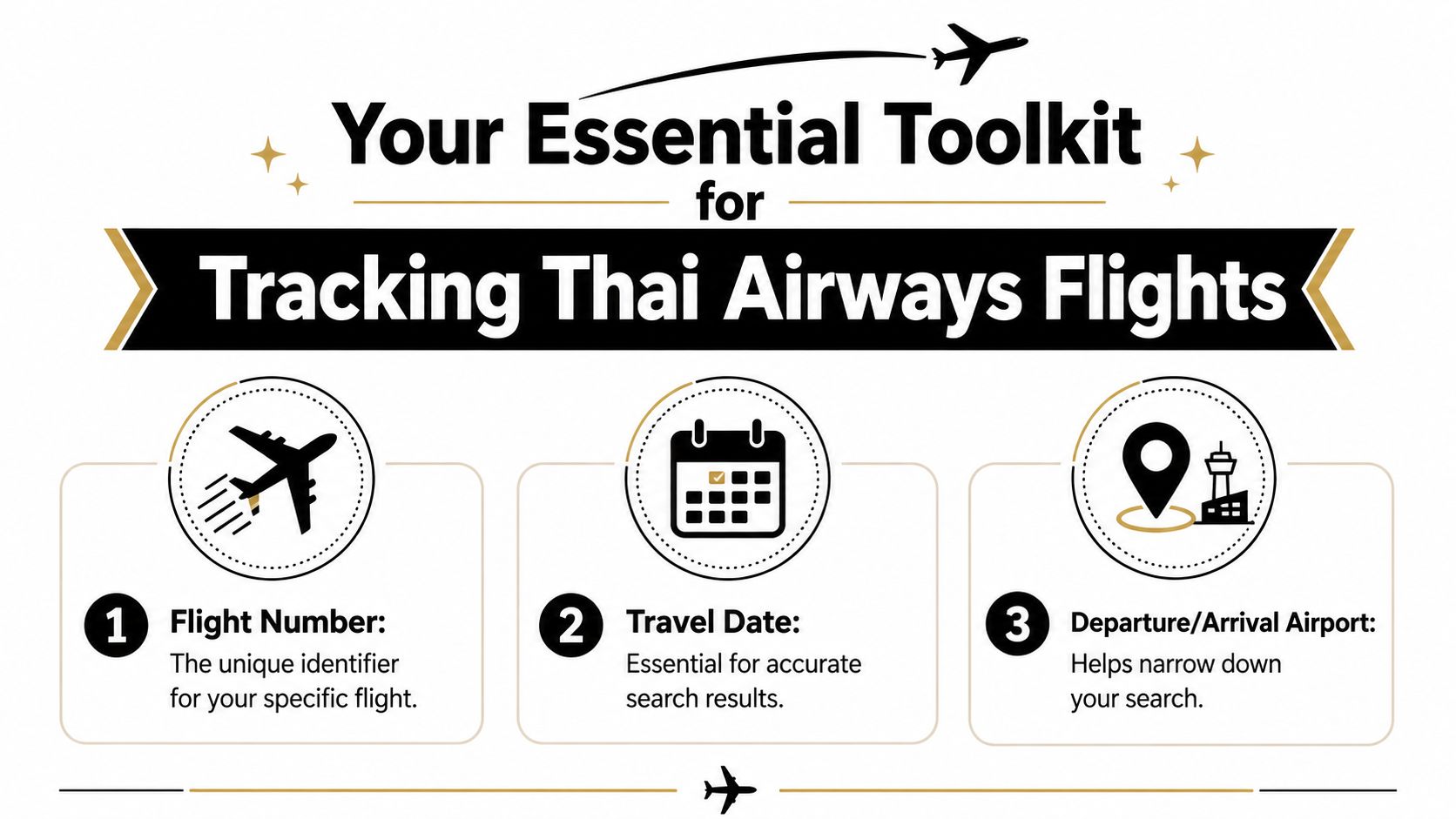
The three details you need
- Flight number. This is the cleanest way to search. For Thai Airways, it usually starts with TG followed by numbers. You'll find it on your e-ticket, booking confirmation, or travel agent itinerary.
- Travel date. This matters more than people expect. Long-haul flights cross time zones, and a search on the wrong date can show yesterday's movement or tomorrow's schedule instead of your actual service.
- Departure and arrival airports. If you don't have the flight number to hand, the city pair helps narrow the search. Use airport names or codes exactly as shown on the booking.
A practical habit is to save a screenshot of your confirmation before travel day. That avoids searching through emails in a queue or at the kerbside.
Practical rule: Don't rely on memory for the flight number. One missing digit is enough to pull up the wrong aircraft, the wrong route, or no result at all.
If you're arranging onward transport, keep all of those details in one place with the rest of your journey notes. That's especially useful when coordinating with a pre-booked airport transfer service, because the driver or dispatcher will usually need the exact operating flight rather than a general booking reference.
Using Official Thai Airways Channels
When travellers ask me where to start, I usually say the same thing. Start with the airline itself, then compare.
Official Thai Airways channels are the best first check because they reflect the carrier's own operating view of the flight. They're usually the clearest source for planned departure, scheduled arrival, and major disruption notices. They're also the place most likely to reflect changes tied directly to the booking.
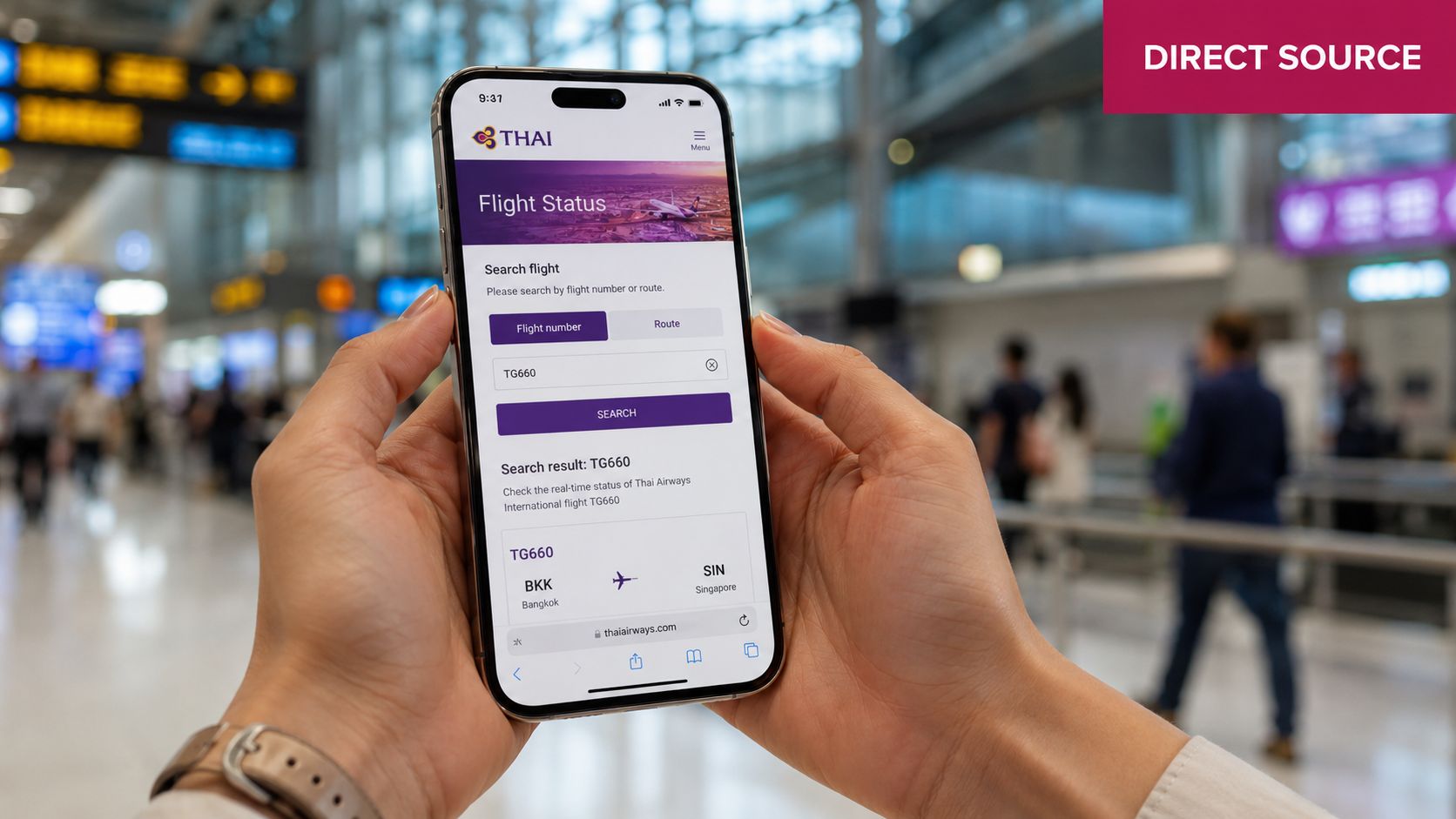
The airline website
Use the Thai Airways website when you want a straightforward status check without extra clutter. The process is simple.
- Open the airline's official site.
- Find the Flight Status area.
- Enter the flight number if you have it.
- If not, search by route and date.
- Confirm that the cities and timing match your booking before acting on the result.
The website is often the clearest option for travellers booking on a laptop or checking details for a family member. It also reduces one common problem with general web searches, which is landing on an outdated or copied listing.
What works well here is clarity. What doesn't work as well is context. Airline pages usually tell you what the schedule says and whether the flight is delayed, but they may give less operational texture than specialist trackers or the airport's own pages.
The mobile app
The app is better when you're already travelling. If you're in a hotel, on a train, or in the terminal, the phone is usually the tool you'll use.
Once installed, look for these settings:
- Flight search and saved trips. Add the journey once so you're not typing details repeatedly.
- Notifications. Turn on alerts if the app offers them. That's useful when you're waiting for a departure update or meeting an arriving passenger.
- Booking-linked information. If your flight is tied to your reservation in the app, you may see changes in one place rather than jumping between emails and browser tabs.
The official channel is best for the airline's version of the truth. It isn't always the fullest picture of what Heathrow is doing on the ground.
That distinction matters. The airline knows its flight plan. The airport knows what's happening at the terminal, gate, and baggage side. If you only use one source, you're only seeing one layer of the journey.
Independent Flight Trackers for a Second Opinion
Once you've checked the airline, it's smart to get a second view. That's where third-party trackers earn their place.
These tools are popular because they show movement, not just status labels. If the official page says “scheduled” or “delayed”, a tracker may show whether the aircraft has pushed back, taken off, or is already making progress en route.
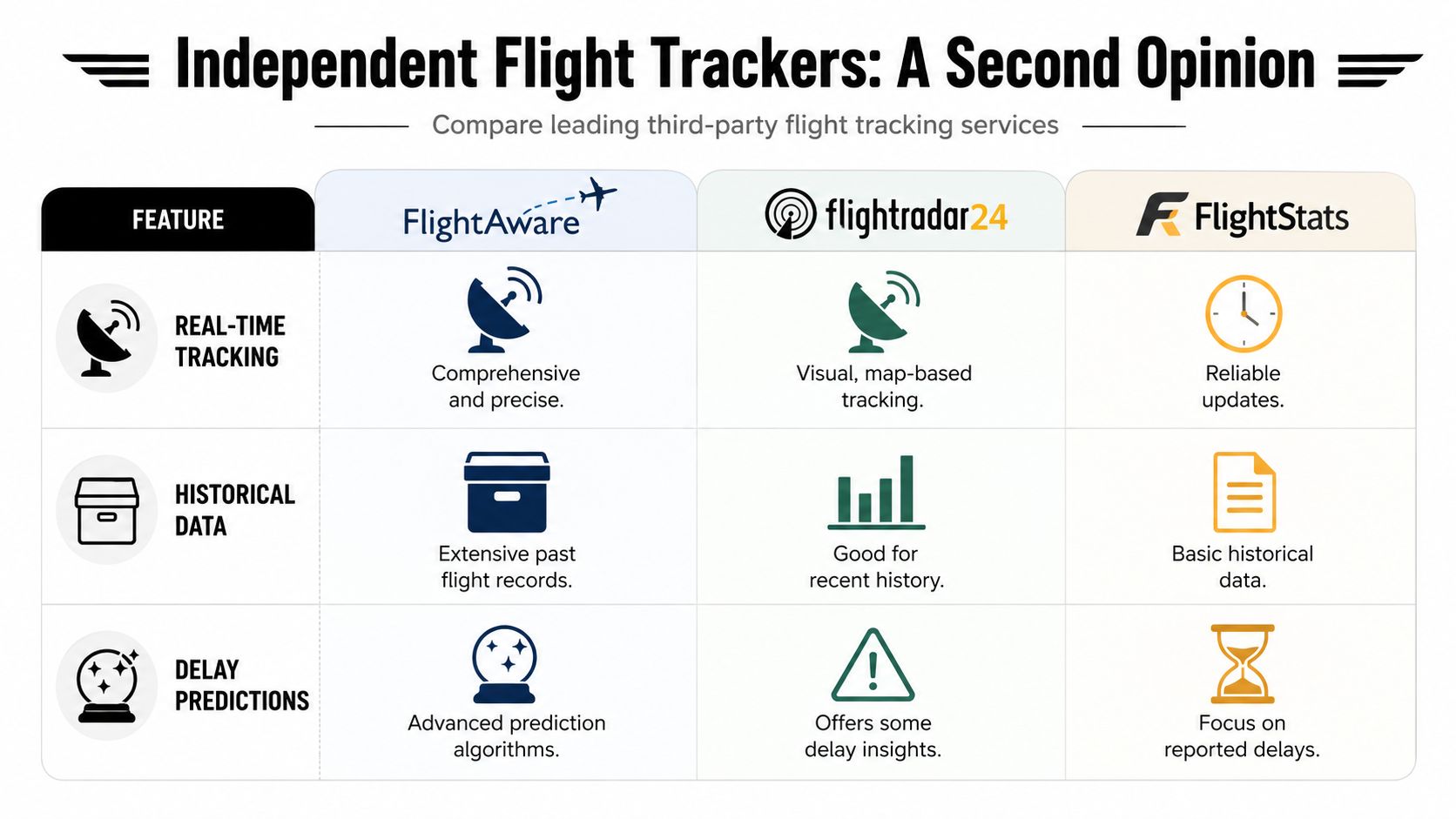
What third-party trackers do better
A quick comparison helps:
| Tool | Best use | Strength in practice | Limitation |
|---|---|---|---|
| FlightAware | Data depth | Good for historical patterns and detailed movement logs | Can still miss local terminal nuance |
| Flightradar24 | Visual tracking | Excellent live map view for seeing where the aircraft is | Less helpful if you need baggage or terminal-side detail |
| FlightStats | Broad status checking | Useful for simple cross-checking | Usually less rich than map-based tools |
FlightAware is especially helpful if you want to understand whether the aircraft is airborne and how the flight is progressing. Flightradar24 is often easier for non-specialists because the map tells the story quickly.
For a broader look at how people use live flight tools, this video is a useful overview:
Where they can still fall short
Independent trackers are excellent for confidence checking, but they're not the whole answer. They're best used as a comparison layer, not as the only source.
One reason is that arrival prediction can shift when the disruption starts far from the UK. Flight monitoring for Heathrow-bound Thai Airways services pulls from airline systems, Heathrow operations, and international tracking feeds, and one cited methodology reports a 98.5% success rate in predicting arrival times within a 15-minute window for UK-based long-haul flights. The same source notes a 34% discrepancy in UK arrival predictions if Bangkok-origin delays aren't updated within 20 minutes, according to FlightAware's THA910 tracking reference.
That's the trade-off. These tools are strong, but only when their inputs stay current.
If two trackers disagree, trust the operating airline for booking-related status, then use a live tracker to see whether the aircraft movement supports that update.
Checking Airport Websites and Google
When a Thai Airways flight is heading into Heathrow, the airport's own information often becomes more useful than a generic status site. Travellers tend to focus on departure status, but the practical questions usually arrive later. Which terminal? Has the gate changed? Is the aircraft down but the passenger still not through?
Why Heathrow's own pages matter
Heathrow's website gives you the airport-side view. For Thai Airways at Heathrow, that matters because local conditions can distort what broad global trackers show.
According to Heathrow's Terminal 2 flight details for TG910, 92% of global flight status sites do not integrate Heathrow-specific delay data, while 18% of Thai Airways arrivals faced unpublished terminal-side delays linked to factors such as UK winter fog. That's exactly why a flight can appear tidy on one screen and messy on the ground.
Use Heathrow's arrivals page when you need details such as:
- Terminal confirmation for the incoming service
- Arrival timing from the airport's own display system
- Gate or terminal-side changes when published
- Baggage reclaim information once available
If you're meeting someone, Heathrow's own pages are often the point where the journey becomes real. “Landed” is helpful. “Landed at Terminal 2 and still processing” is more useful.
For travellers trying to understand Heathrow logistics in more detail, this guide to the Austrian Airlines LHR terminal is also useful because the same airport-side principles apply when reading terminal information.
Using Google as a quick cross-check
Google is a handy shortcut when you need a fast answer. Typing the flight number, such as “TG910” or “TG911”, often pulls a status card into search results.
That shortcut works well for quick checks in a taxi, hotel lobby, or queue. It doesn't replace the airline or airport pages, but it helps you spot whether the flight is broadly on schedule, delayed, or already arrived.
What works:
- fast access
- no login
- useful for a simple yes-or-no check
What doesn't:
- limited context
- less clarity around local Heathrow disruption
- occasional lag compared with the operating source
A calm approach is best. Use Google for speed, Heathrow for local arrival reality, and the airline for the official operating view.
Decoding Delays and Handling Disruptions
The phrase “on time” can mislead people. On a long-haul route, departure status, en-route progress, and actual Heathrow arrival experience don't always line up neatly.
That's why the flight status of Thai Airways has to be read as a sequence, not a single label. A delay on the board doesn't always mean a late arrival. An on-time departure doesn't always mean a smooth landing process at Heathrow.
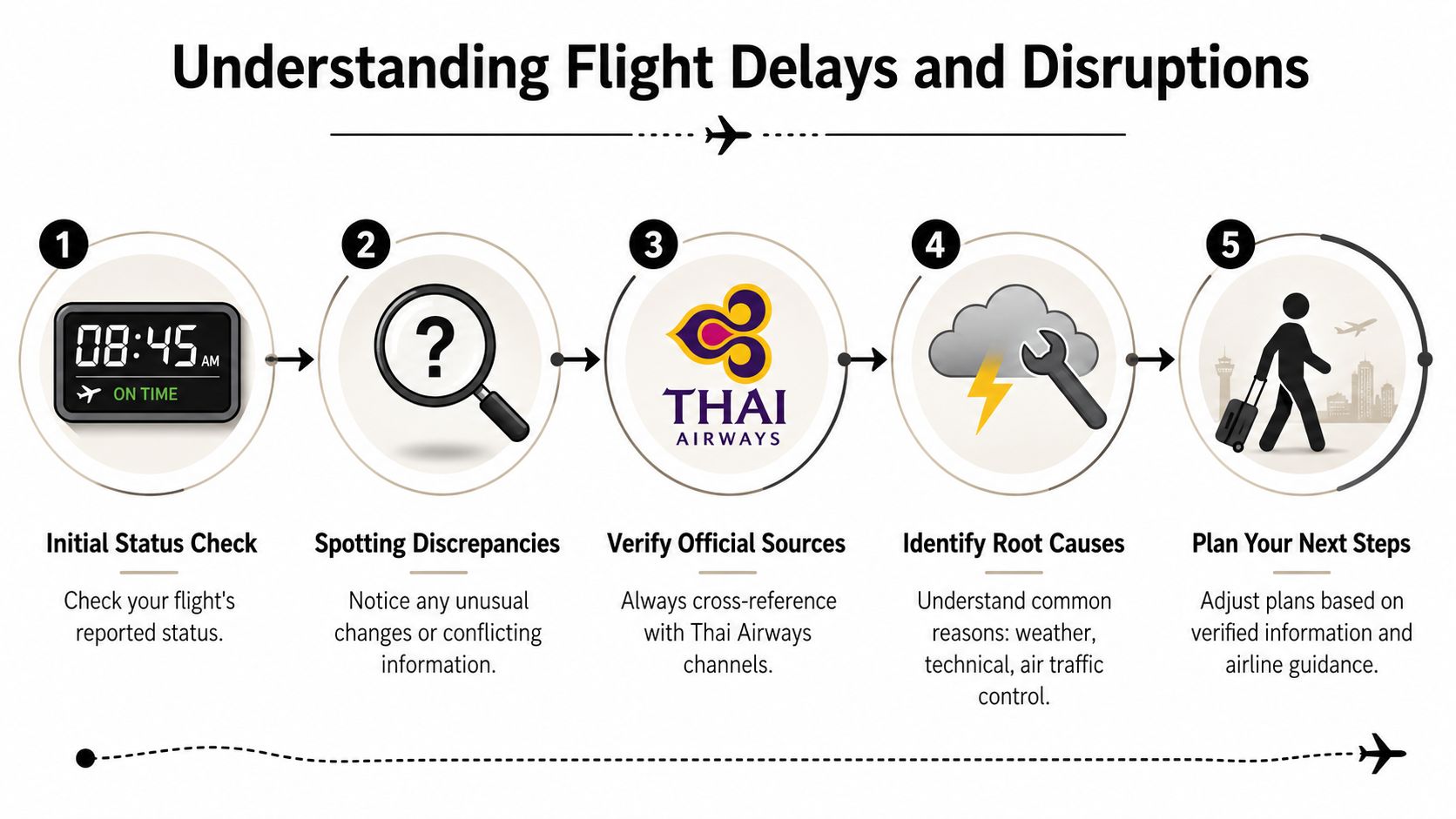
Why departure status and arrival status can tell different stories
A good example is Thai Airways flight TG911 on the London Heathrow to Bangkok route. Historical records show a 47% on-time departure rate and an average delay of 35 minutes, yet the same flight shows a 97% on-time arrival rate and typically arrives 4 minutes earlier than scheduled, according to Trip.com's TG911 flight status page.
That tells you something important. Departure punctuality and arrival performance are not the same thing.
Airlines can recover time in the air or build schedule resilience into long-haul operations. For travellers, that means a delayed departure board at Heathrow isn't always a reason to panic about a missed same-day plan at the destination. You still need to monitor it, but you shouldn't assume the worst from the first delay notice alone.
Time zones, codeshares, and conflicting updates
Long-haul flights between Asia and the UK create confusion because different systems may present different moments of the same journey. One source may highlight pushback time. Another may focus on runway departure. Another may estimate Heathrow arrival using stale upstream data.
A separate UK-focused issue is timing distortion around arrival management. Trip.com's UK Thai Airways status page notes that 27% of long-haul Thai Airways flights into Heathrow experienced unreported arrival delays due to UK air traffic control constraints, while 0% of major flight status platforms included this in their real-time update. That gap explains why a passenger can see “on time” on one screen and still arrive meaningfully later in London.
Codeshares add another layer. If your booking shows a partner airline number but Thai Airways is the operating carrier, always track the operating flight. That's the aircraft and crew moving through the system. Booking numbers matter for tickets. Operating numbers matter for live status.
“On time” at departure doesn't settle the question. For Heathrow arrivals, the useful question is what the aircraft, the airport, and the terminal are each saying right now.
What to do when the status changes
When a status shifts, don't chase five websites at once. Use a sequence.
- Check the operating carrier first. Confirm whether the change is official.
- Compare with a live tracker. See whether aircraft movement supports the update.
- Check Heathrow if the flight is inbound to London. That adds terminal-side context.
- Read your booking carefully. If it's a codeshare, identify the operating service.
- Adjust onward plans based on the latest verified update. Don't leave based on old screenshots.
If the flight is cancelled or heavily disrupted, focus on practical next steps. Rebooking, baggage questions, and airport assistance should come from the airline or your booking agent. If you're arranging a pickup, update the transport provider with the operating flight number and the latest confirmed arrival view.
The Stress-Free Solution How Professionals Monitor Your Flight
Most travellers can track a flight well enough for their own peace of mind. The difficulty starts when timing really matters. Cruise embarkations, business meetings, elderly relatives, tired children, and late-night Heathrow arrivals all make the margin for error smaller.
That's when professional monitoring makes sense. Not because passengers can't check a flight themselves, but because airport information is fragmented and sometimes late.
What professionals watch that passengers often miss
Heathrow is a good example. Public displays and generic trackers don't always update at the same speed. According to Heathrow's Terminal 2 details for TG916, 28% of delayed Thai Airways flights fail to update terminal display boards within 30 minutes, and outdated information can contribute to a 15% increase in missed pickup slots. The same reference notes that professional transfer services use direct data feeds to adjust pickups around those gaps.
That's the operational difference. A passenger often watches one screen. A professional coordinator watches the chain:
- Airline status for the official operating update
- Airport-side information for terminal reality
- Independent trackers for movement confirmation
- Booking notes for passenger timing and destination needs
The point isn't more data for the sake of it. The point is making a sensible dispatch decision.
When this matters most
This approach matters most on journeys with little slack. Heathrow to Southampton for a cruise. Heathrow to a central London hotel after a late arrival. A family landing with luggage and no appetite for standing in a taxi queue while screens disagree.
For those situations, meet-and-greet support is often the difference between a tense arrival and a smooth one. If you want to understand how that handover works at the terminal, this Heathrow meet and greet guide gives a useful overview.
A good transfer team doesn't just know the flight number. They monitor the operating reality of the journey and adjust around it so the traveller doesn't have to keep refreshing pages while walking through arrivals.
If you'd rather have someone else handle the moving parts, EC Minibus provides Heathrow meet-and-greet transfers with active flight monitoring for airport, hotel, and cruise connections across London and the UK. It's a practical option when timing matters and you want the arrival handled calmly from the moment the aircraft's status starts to change.