

You've just landed, the cabin door has opened, and now the actual journey begins. You're standing in a busy arrivals hall or outside a cruise terminal, checking luggage tags, scanning signs, and trying to answer one simple question, where is my driver? For international passengers, that gap between landing and meeting your transfer can feel much longer than it needs to.
Mobile app tracking makes that handoff calmer. Instead of guessing, you can see the vehicle's location, get a clear pickup update, and move from arrival stress to a controlled, predictable transfer. In the UK, where people spent an average of 3 hours and 50 minutes per day on mobile apps in 2023 according to Statista's UK mobile apps overview, using mobile technology to streamline services like airport transfers has become an expected part of a smooth travel experience.
Table of Contents
- Your Stress-Free Arrival at Heathrow or a UK Cruise Port
- What Is Mobile Tracking for Passenger Transfers
- How Our Live Tracking Technology Works for You
- The Main Benefits for Your Journey
- Your Privacy and Data Permissions Explained
- How to Use EC Minibus Live Vehicle Tracking
- Troubleshooting and Frequently Asked Questions
Your Stress-Free Arrival at Heathrow or a UK Cruise Port
You've come off a long flight, your phone is juggling roaming, and the terminal is full of people moving in every direction. At Heathrow, or after disembarking at a cruise port, the first minutes on the ground are often the most disorienting. You've got bags in hand, your body is tired, and the only thing you want is a clear path to the vehicle waiting for you.

That's where live tracking changes the experience. Instead of wondering whether your driver is nearby or whether you've missed a message, you can check the pickup status and move at your own pace. For passengers who've just landed after hours of travel, that small bit of visibility reduces the feeling of being rushed.
A practical transfer should feel coordinated, not improvised. With the right tracking setup, the driver's approach becomes visible before the meet-and-greet moment, so you're not standing in the arrivals area unsure of what happens next. That's especially useful when you're travelling with family, carrying larger luggage, or arriving somewhere unfamiliar.
Practical rule: the best transfer technology doesn't ask you to think harder, it quietly removes the need to guess.
For a smoother example of how door-to-door service works in practice, see the door-to-door airport transfer guide. In a busy travel day, that kind of clarity matters more than flashy features.
What Is Mobile Tracking for Passenger Transfers
Mobile tracking in a private transfer is not about following a person. It follows the service moment, the vehicle, the pickup timing, and the journey status so the passenger knows what to expect. A simple way to understand it is by comparing it to parcel tracking. You do not need to know every detail of the courier's route, you only want to know where the item is and when it will arrive.
Service tracking versus marketing tracking
That distinction matters because many people hear “tracking” and immediately think of advertising or personal profiling. In passenger transfers, the useful version is much narrower. It supports a pickup, keeps timing accurate, and reduces the uncertainty that comes with airport and port travel.
The UK privacy context also matters here. Under GDPR, consent must be freely given, specific, informed, and unambiguous, with users actively opting in rather than being assumed in by silence or pre-ticked boxes. That is why a properly designed transfer app should feel like a service tool, not a surveillance tool.
What passengers actually gain
For travellers, the value is straightforward. The app can show whether the vehicle is on the way, whether the driver is close, and whether the estimated arrival time has changed. That helps you decide whether to stay inside, head to the pickup point, or let a family member know you are nearly ready.
In other words, mobile app tracking in this setting is about coordination. It supports punctuality, reduces message-chasing, and gives the passenger one place to check instead of relying on calls, text messages, and guesswork.
How Our Live Tracking Technology Works for You
The easiest way to understand live tracking is to break it into three parts, where the vehicle is, how close it is, and when it should arrive. The passenger sees a simple version of the system, while the back end handles the timing and location logic.
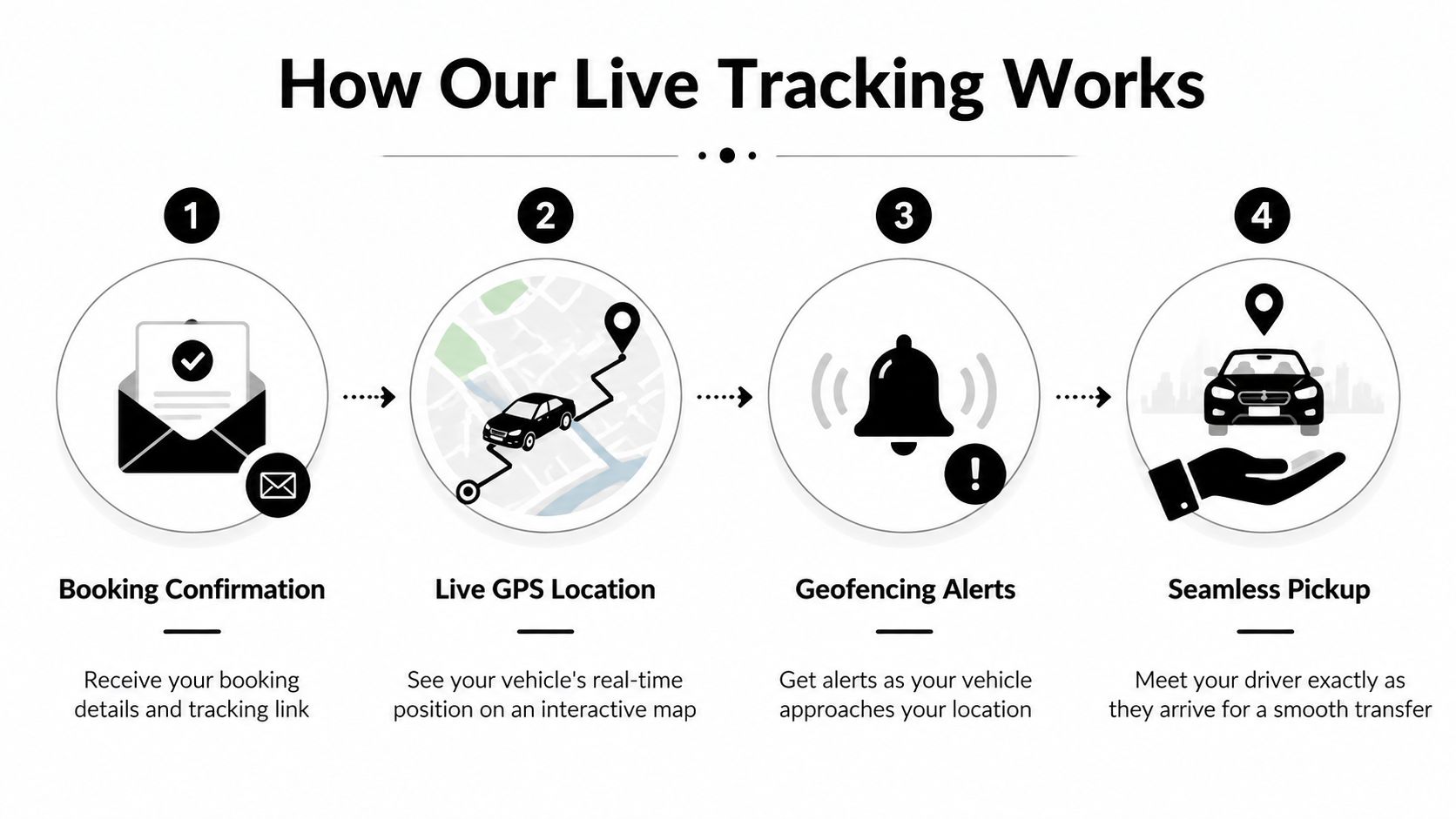
Live GPS location on a map
GPS tells the app where the vehicle is in real time. For the passenger, that usually appears as a map view with a moving marker or vehicle icon. You don't need to understand satellites or routing systems to use it, you just need to know that the car is approaching and can be checked at a glance.
Geofencing alerts that signal proximity
Geofencing is a simple location trigger. When the driver enters a defined area near your pickup point, the system can send an alert that the vehicle is close. That's useful because it reduces the need to keep refreshing messages or asking staff for an update.
ETA updates that reflect traffic
ETA stands for estimated time of arrival, and it matters because road conditions change. A transfer that looked timely twenty minutes ago may need a revised arrival estimate if traffic slows down. When the ETA updates in real time, you can plan with more confidence and fewer surprises.
If the vehicle is delayed, a good tracking system tells you early, not after you've already been waiting too long.
The passenger benefit is simple. You get a clearer picture of the pickup window, the driver gets less inbound checking, and the whole transfer feels more organised. That's why live tracking is best understood as a service layer, not a technical novelty.
The Main Benefits for Your Journey
The biggest advantage of tracking isn't the map itself. It's the calm that comes from knowing what's happening next. For many passengers, that means less standing around in busy terminals and less second-guessing about whether the pickup is still on schedule.
Less waiting anxiety
Airport and cruise arrivals create a lot of small uncertainties. You may be tired, your battery might be low, and your luggage can make movement awkward. Live tracking removes much of the uncertainty by showing the vehicle's progress and giving you a clearer sense of when to head outside or remain where you are.
Better meet-and-greet coordination
Tracking also improves the handoff between passenger and driver. If you know the car is close, you can move to the right meeting point at the right moment. That's especially useful when you're travelling with children, older relatives, or other passengers who don't want to stand in a cold or crowded area any longer than necessary.
More control over the rest of your day
Once you have a reliable ETA, you can do practical things without feeling pinned to the arrivals curb. You might collect a coffee, make a quick call, or sort luggage while still keeping an eye on the pickup progress. That small amount of flexibility can make the whole journey feel less fragmented.
A better sense of safety and order
Knowing where the vehicle is adds reassurance, especially in a new city or at an unfamiliar terminal. You're not trying to judge a pickup by instinct or by a vague text message. You're working from a live service update, which makes the transfer feel more transparent.
The result is a journey that feels more deliberate and less reactive. The passenger knows the pickup is visible, the driver knows where to head, and both sides can meet with fewer delays.
Your Privacy and Data Permissions Explained
Privacy concerns are reasonable, especially for international passengers who may be less familiar with UK rules. A transfer tracking service should stay limited, purpose-driven, and easy to understand. The data used for live updates should be tied to the journey itself, with clear opt-in consent for a specific purpose as noted in UK mobile app tracking guidance.
What tracking should use
For a private transfer, the useful data is narrow. A booking reference, trip timing, and live vehicle location during the active journey are usually enough to coordinate the pickup and provide a clear service update. That keeps the process focused on the trip you booked, rather than on unrelated personal information.
What tracking should not do
Tracking should not become a broad profile of your phone or your behaviour. It should stop when the journey ends, and it should not gather more data than is needed to complete the transfer. UK privacy and data protection guidance also expects organisations to have a lawful basis for processing personal data and to explain clearly how that data is used as set out in ICO-oriented mobile app guidance.
That approach builds trust. If the data exists only to complete the booking you requested, the service remains easy to explain and easier to justify. It also follows a simple privacy principle, collect less, not more.
Consent and control
A proper system gives passengers visible consent choices and a way to change them later. If you do not want tracking features enabled, there should be a clear opt-out path, such as the data sharing opt-out page. That kind of control keeps the service transparent and lets the passenger decide what to share.
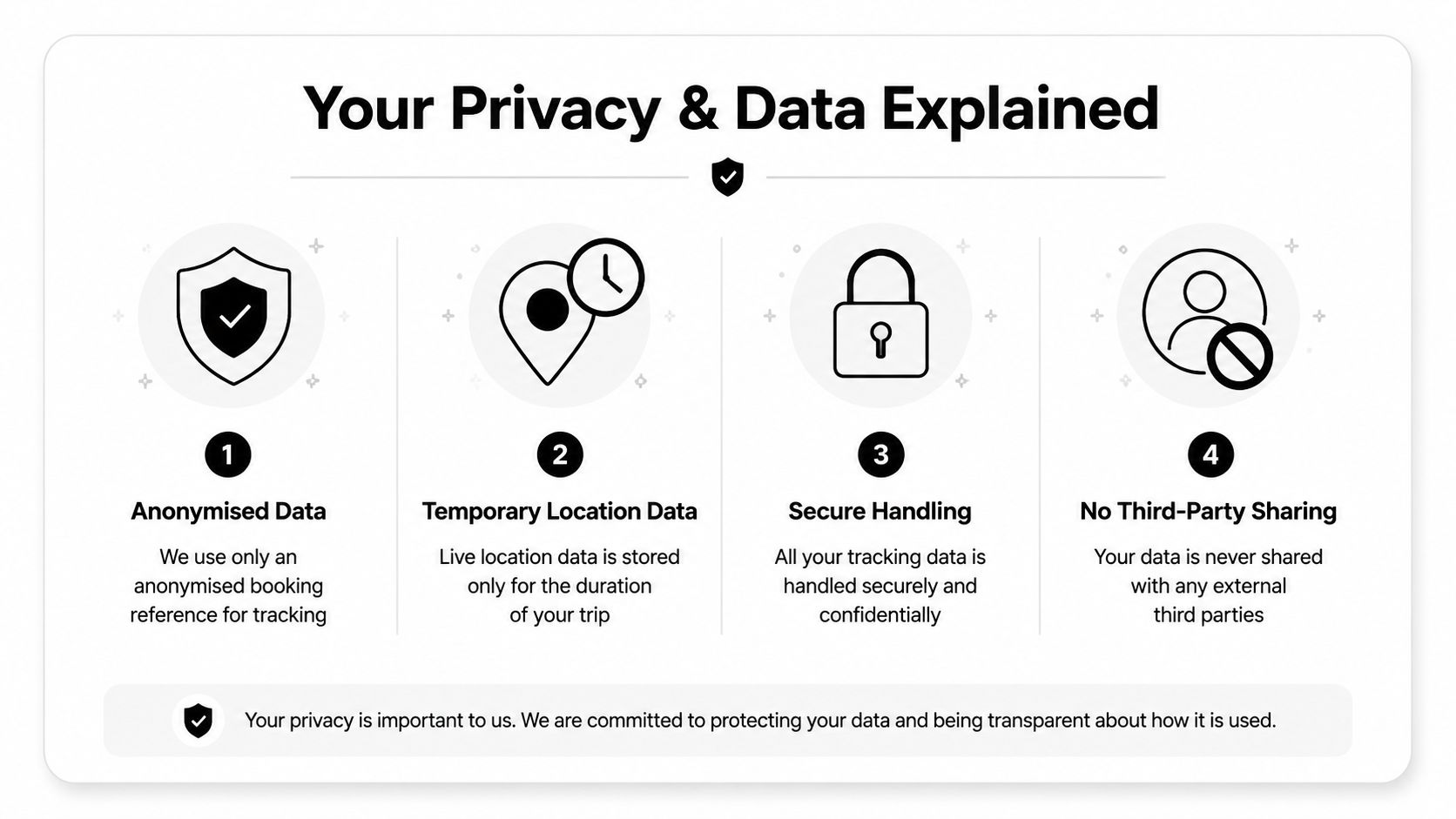
For passengers, the goal is not to accept tracking blindly. It is to use a limited tracking function that supports the transfer you booked, and nothing beyond that.
How to Use EC Minibus Live Vehicle Tracking
The process is simple once you know where to look. After booking, you should receive confirmation by email or message with the details you need to follow the transfer. The tracking link is usually part of that booking information, so you don't have to search through separate systems or complicated menus.
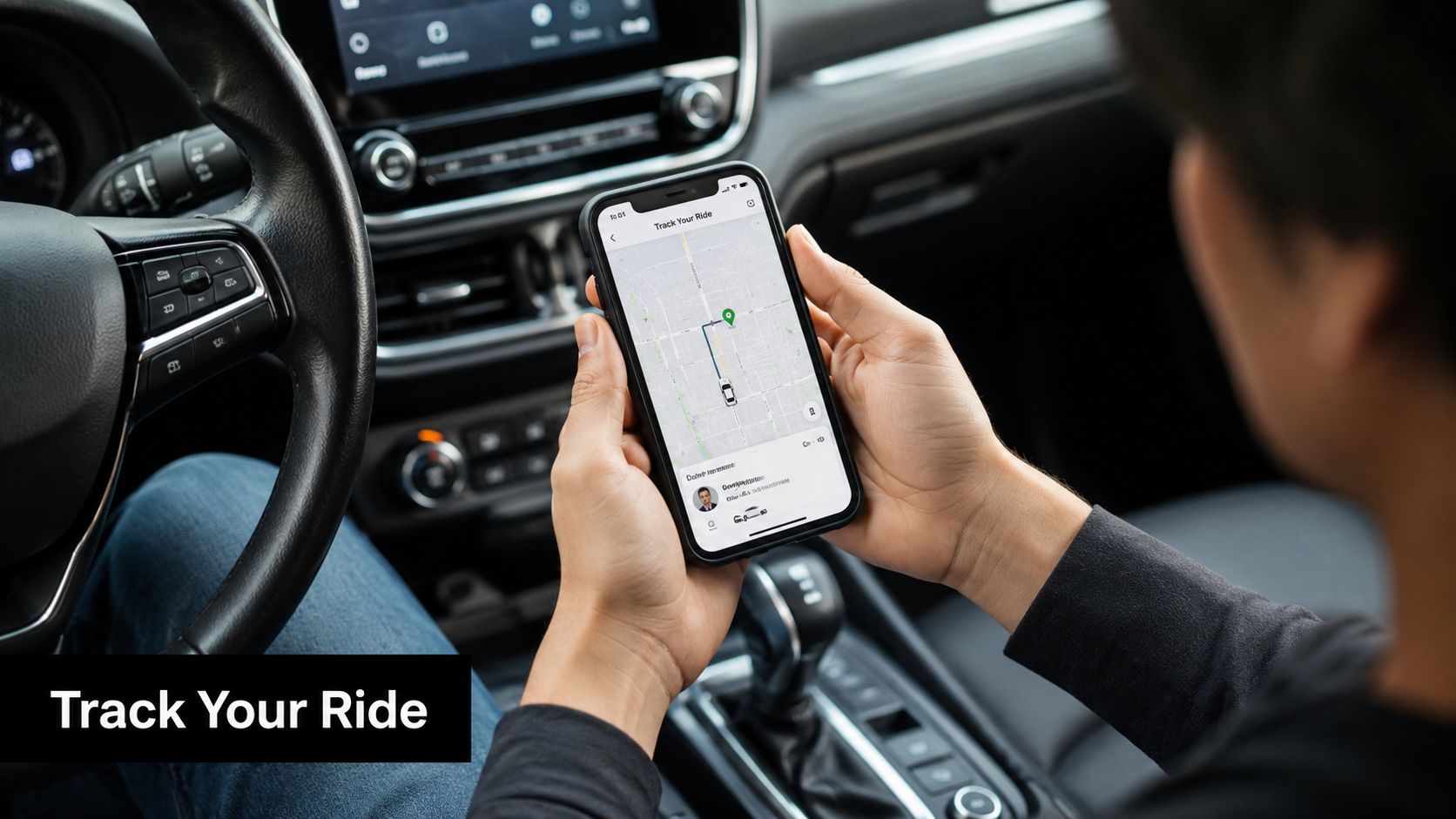
A simple way to use it
- Open your booking confirmation. Look for the tracking link in the email or SMS you received after booking.
- Tap the link shortly before pickup. This takes you to the live map and current trip status.
- Check the vehicle position and ETA. You'll see where the car is and how close it's getting.
- Follow the pickup instruction. Move to the agreed meeting point when the vehicle is approaching.
The interface should be easy to read on a phone, even if you're tired or using it outdoors. A good design puts the essentials first, the vehicle position, the driver details, and the arrival time, so you can get what you need in a few seconds.
If you prefer to see the feature in motion, the embedded video gives a quick visual of the kind of tracking flow passengers can expect.
What to expect on the screen
The live view usually focuses on one thing, helping you meet the vehicle without confusion. That means fewer taps, fewer menus, and less time spent figuring out whether you're in the right place. If you're travelling with others, you can also use the same booking details to keep everyone aligned on pickup timing.
For passengers, the value is confidence. You know where to look, what the update means, and when it's time to head out.
Troubleshooting and Frequently Asked Questions
What should I do if the tracking link isn't working
First, check that you're using the most recent booking message. Travel emails can get buried, and older links may no longer reflect the current trip details. If the page still won't load, contact support through the booking help options and have your reference ready so the team can check the transfer directly.
How accurate is the driver's ETA
The ETA should be treated as a live estimate, not a promise fixed in stone. It's useful because it adjusts to current traffic and road conditions, which is better than a static arrival time that quickly becomes outdated. In practice, that means the estimate helps you plan, while the final pickup timing still depends on the road network and terminal conditions.
Can I share the tracking link with family members waiting for me
Yes, if the service allows it and the booking details are meant to be shared for pickup coordination. That can be helpful when relatives are meeting you at a hotel, cruise terminal, or airport entrance. Keep the link within the group involved in the transfer, though, because it's there to support the journey, not to circulate widely.
Does the tracking work for all locations like Southampton and Dover
The tracking experience is designed to support route-based transfers, so it should be useful wherever the service operates. For location-specific questions, it's best to check the booking details or the service FAQ so you know what to expect at a particular port or airport. The important part is that the tracking stays tied to the active journey and the pickup point you booked.
For more practical answers about booking, pickup timing, and transfer details, the FAQ page is the best place to check next. If something still doesn't make sense on the day, keep your booking reference handy and contact support promptly so the trip can be checked without delay.
A CTA for EC Minibus.